
Email notifications
Record Meeting sends emails about your recordings, sharing and your account. Every one of them can be turned off, either in Settings or from the email itself.
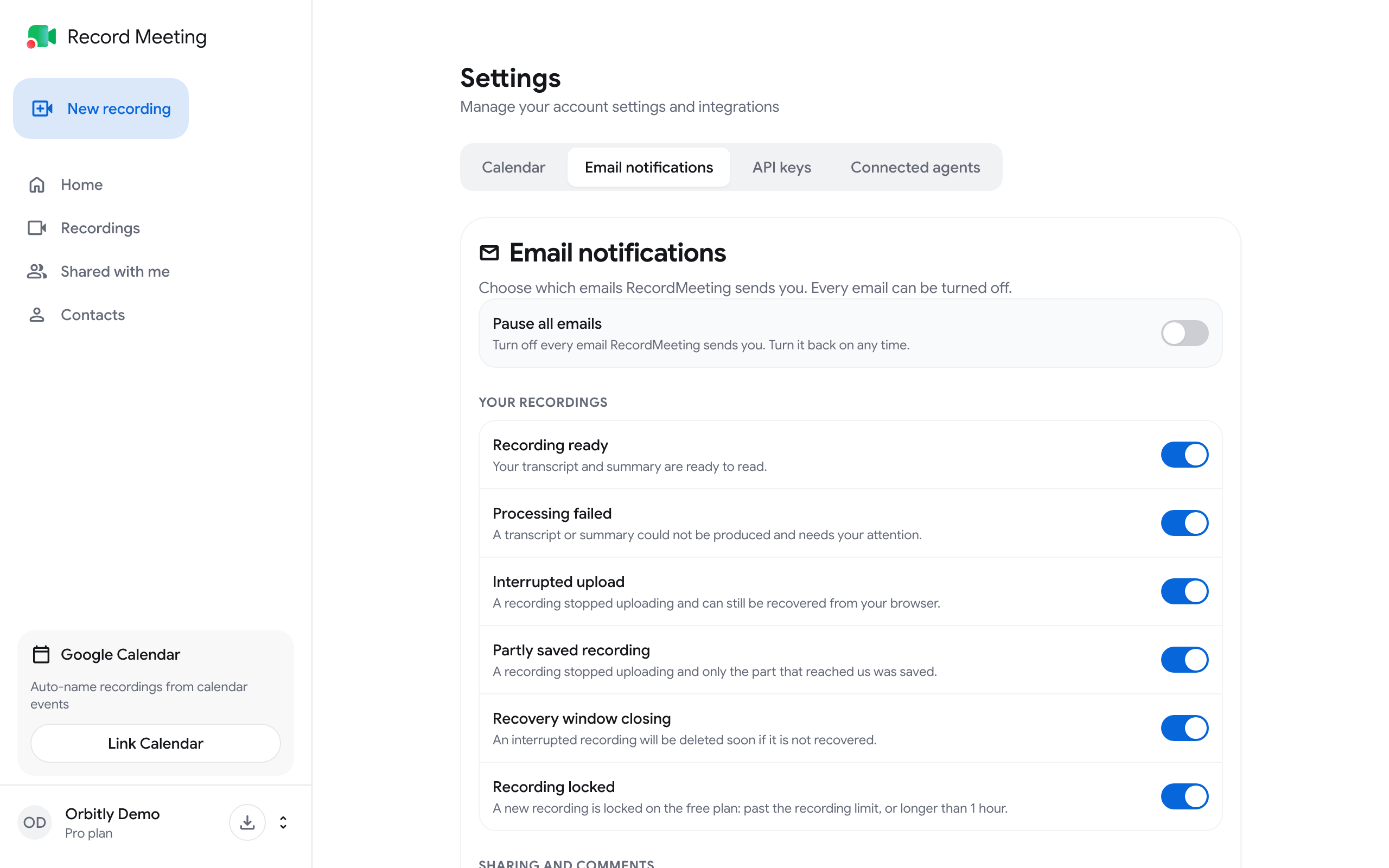
Open the email settings
Section titled “Open the email settings”- Sign in at recordmeeting.com/app.
- Click the button with your name at the bottom of the sidebar and choose Settings.
- Open the Email notifications tab.
Each email has its own switch. A change is saved as soon as you flip the switch.
Emails you can turn on or off
Section titled “Emails you can turn on or off”Your recordings
Section titled “Your recordings”| When it is sent | |
|---|---|
| Recording ready | Your transcript and summary are ready to read |
| Processing failed | A transcript or summary could not be produced and needs your attention |
| Interrupted upload | A recording stopped uploading and can still be recovered from your browser |
| Partly saved recording | A recording stopped uploading and only the part that reached the server was saved |
| Recovery window closing | An interrupted recording will be deleted soon if it is not recovered |
| Recording locked | A new recording is locked on the Free plan: past the recording limit, or longer than 1 hour |
Sharing and comments
Section titled “Sharing and comments”| When it is sent | |
|---|---|
| Shared with you | Someone shared a recording with your email address |
| New comments | Someone commented on one of your recordings |
| Replies to your comments | Someone replied to a comment you wrote |
| Transfer requests | A recording transfer into your organization needs approval |
| Transfer decisions | A transfer you requested was approved or rejected |
| Added to an organization | You were added to an organization or a folder |
Offers and tips
Section titled “Offers and tips”| When it is sent | |
|---|---|
| Come-back offer | A discount offer a week after a paid plan ends |
| Come-back offer reminder | One reminder of that offer a month after the plan ended |
| Team plan suggestion | A note about the team plan when you share a lot of recordings, at most every 60 days |
Account and security
Section titled “Account and security”| When it is sent | |
|---|---|
| New agent connected | An AI agent was granted access to your account |
| API key created | A new API key was created for your account |
Pause all emails
Section titled “Pause all emails”Turn on Pause all emails at the top of the tab to stop every email Record Meeting sends you. Turn it off again at any time, and your choices for the single emails are still there.
Welcome emails, getting-started tips and billing emails (for example a failed payment or a cancelled plan) have no switch of their own in the list. Pause all emails stops them too.
Unsubscribe from an email
Section titled “Unsubscribe from an email”Every email has an Unsubscribe from these emails link in its footer. One click turns off that kind of email, with no sign-in needed, and a page confirms that you are unsubscribed. Mail apps that show their own unsubscribe button next to the sender use the same one-click unsubscribe.
To get the emails again, turn the switch back on in Settings ➤ Email notifications.
This works for people without an account too. If someone shared a recording with your address and you do not use Record Meeting, the link in that email stops further emails to your address.