
Referral program
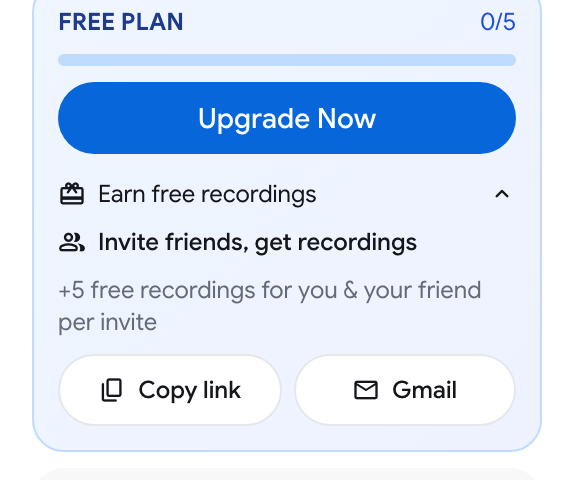
On the Free plan you can raise your recordings limit by inviting other people. The app calls this Invite friends, get recordings.
What you and your friend get
Section titled “What you and your friend get”- Your friend gets 5 extra free recordings when they create their account from your link. Their Free limit starts at 10 instead of 5.
- You get 5 extra free recordings when that friend finishes their first recording. You also get an email saying your limit was raised.
Your Free limit can grow this way up to 30 recordings.
The extra recordings raise the number of recordings that stay unlocked on the Free plan. They do not change the other Free limits. See Plans & pricing.
Find your invite link
Section titled “Find your invite link”The referral section is shown to accounts on the Free plan.
- Sign in at recordmeeting.com/app.
- In the sidebar, find the FREE PLAN card that shows how many recordings you have used.
- Click Earn free recordings to expand it.
- Under Invite friends, get recordings, choose how to send the link:
- Copy link copies your personal invite link, so you can paste it anywhere.
- Gmail opens a new Gmail message with an invitation and your link already written.
How the link works
Section titled “How the link works”- Your friend opens your invite link and signs in to Record Meeting for the first time.
- Their new account is linked to yours and gets its 5 extra recordings.
- When their first recording is complete, your limit goes up by 5.
After at least one friend has joined, the referral section also shows how many referrals you have and how many bonus recordings they brought.
If you are on Pro or Enterprise
Section titled “If you are on Pro or Enterprise”Paid plans have unlimited recordings, so the referral section is not shown.